



console.log = function ();
Skip to content

Summer Release 2025

Ease. Efficiency. Value.

We’re not just in the business of booking travel. We’re in the business of enabling success. Of removing friction. Of making the complex feel effortless. We’re in the business of empowering ambition.

Our latest release raises the bar for omnichannel service with a powerful new mobile app, enriched content across the entire booking ecosystem, and a reimagined user experience that makes booking travel for business feel effortless.

Next-Level Travel, In Your Pocket

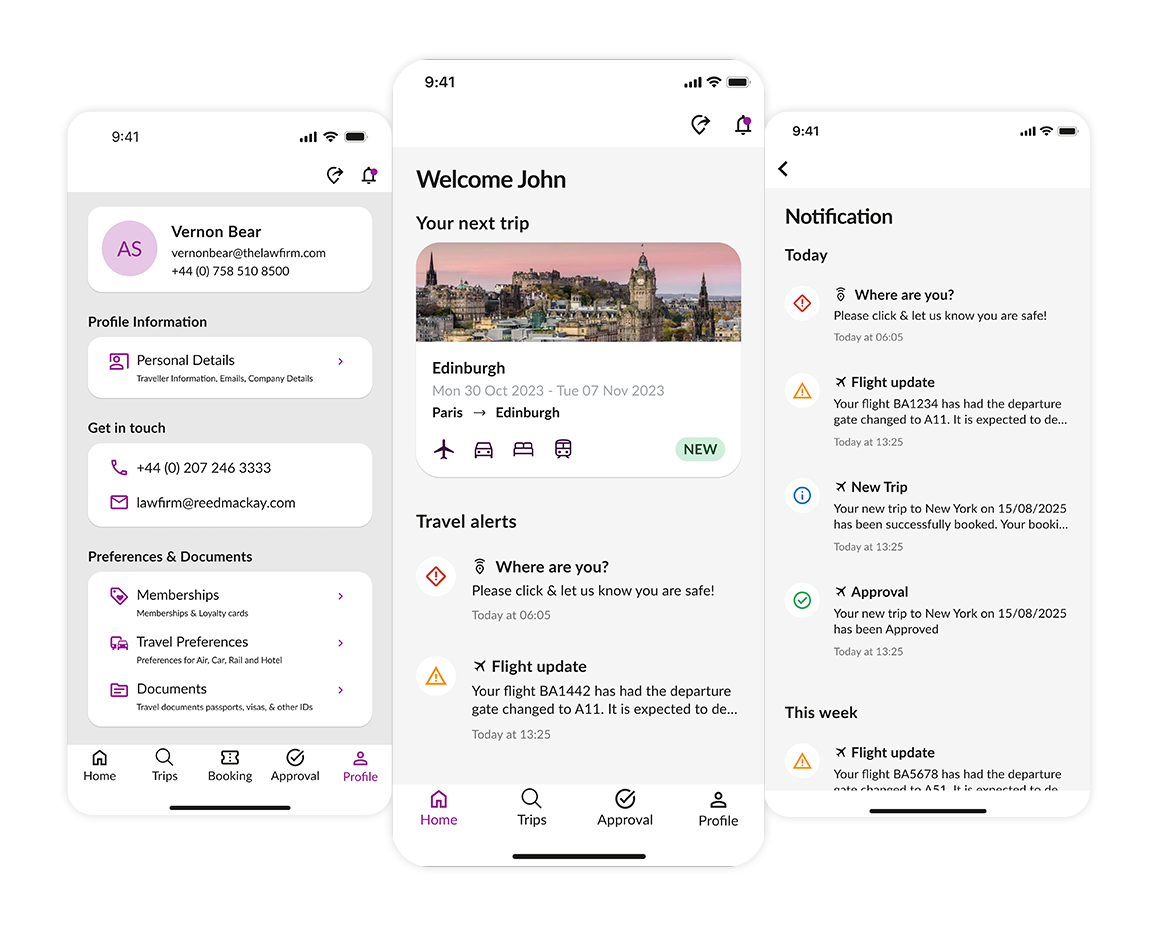
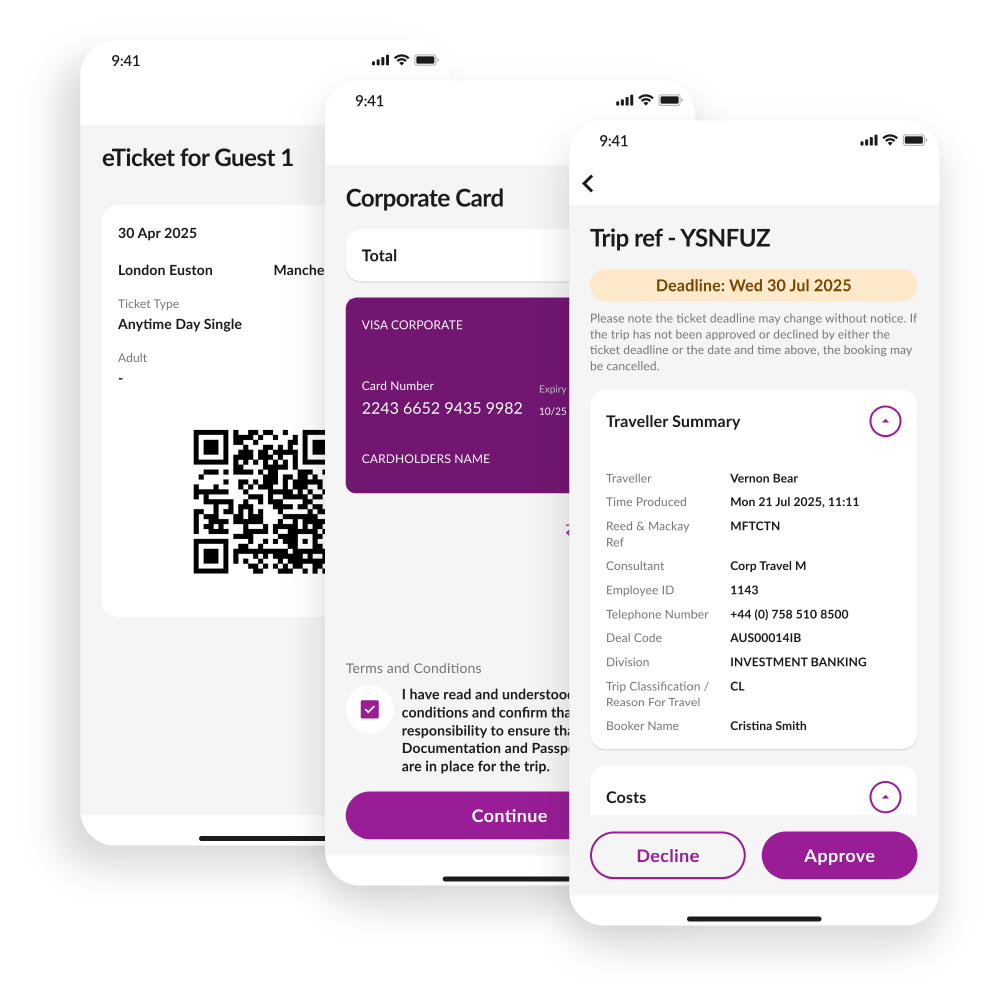
A new mobile app for exceptional service on the go – with enriched content, enhanced user experience, the latest tailored risk intelligence and the ability to update traveller profiles anytime, anywhere. All in local language and available for IOS and Android.

Key Highlights

Boarding Passes and Tickets

R&M will check you in and send your boarding card directly to your mobile phone. Available to add to your virtual wallet.

Virtual Cards

Display your virtual card associated with your booking for seamless hotel check in.

Approvals

Need to approve a trip while on the go? Travel managers can now approve trips from R&M/Mobile (where approvals are in place)

Live Itineraries and Notifications

No need for paper and email as all trips sync to the App with updates and notifications for any flight delays and cancellations.

24/7 Access to R&M

Contact R&M 24/7/365 so that you are never far from help when you need it. Support available from your local team, with English-speaking out of office support.

Multi-Language Support

Available in French, German, Swedish and Spanish.

Relevant for you

Improvements to surface personalised, relevant information for your upcoming trip, with destination alerts sorted to show most relevant news first.

All in one place

Unlock an omnichannel experience, with control of your profile and synched booking capabilities. Begin your booking with in the app, on Book or with a consultant, and pick up where you left off.

Profile Synchronisation

Make changes to your traveller profile on the go (contact details, travel documents subscription preferences)

Shortlist Synchronisation

Real-time view of trip shortlist- pick up where you left off no matter how you book your travel.

MS Azure Integration

Updates install automatically. Integrates directly with Microsoft Azure SSO to ensure you can always login quickly and securely


NDC Content

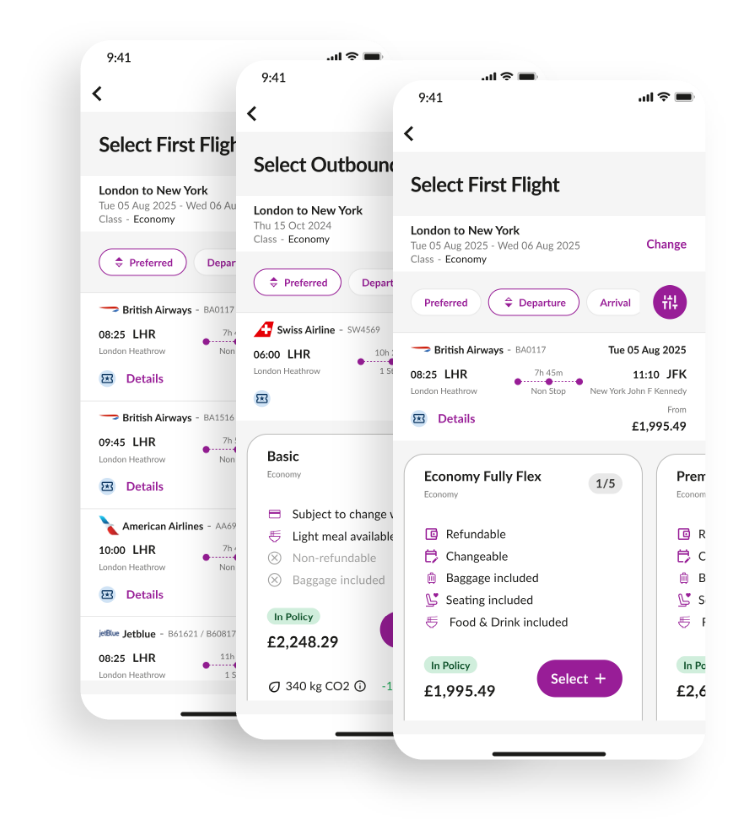
Building on the foundations we have with NDC, we’ve added Air France, KLM and United Airlines, bringing us to 9 NDC airlines, offering more access to richer content and lower fares, making it faster and easier to browse, compare, and select the right fare option for you.

Mixed Cabin Shopping

Mix & match cabins — Travelers can now fly out in Economy and return in Business, or vice-versa! Smooth, smart, and totally flexible.

Leveraging anchored search capabilities, travellers can enjoy premium experiences—like Business Class on long-haul flights—without Full itinerary price increases.

Fare tolerances by cabin are now applied exactly where they should be, applied to the right fares, and when indirect flights include an add-on flight in a different cabin class, policy logic now compares against the highest cabin to ensure accurate fare checks.

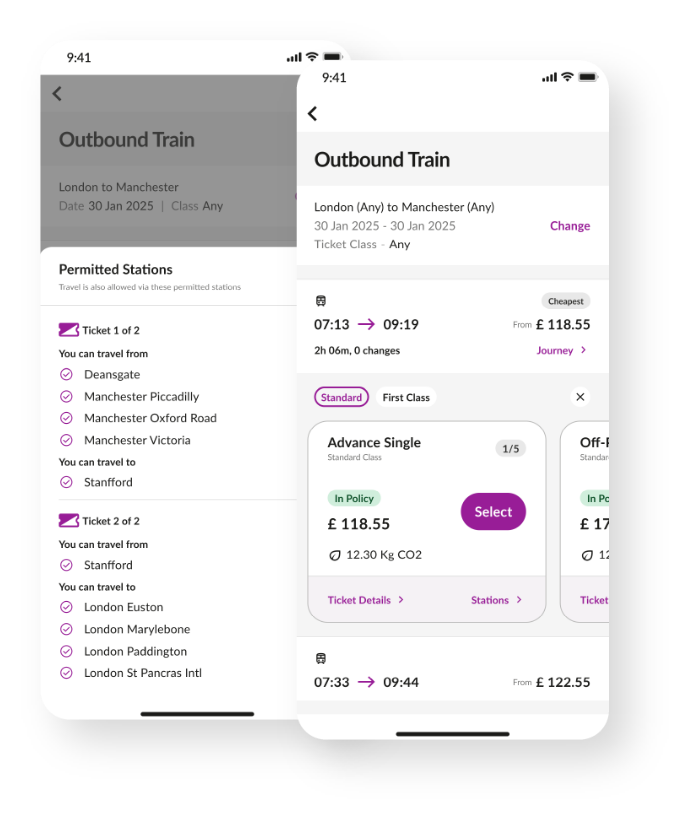
Rail Multi Passenger Booking

We’ve made group rail bookings easier — fewer steps, better coordination, and full policy compliance.

Book Rail Travel for Up to 5 Passengers in One Booking Flow
Enables users to plan and reserve rail journeys within a single, process. This eliminates the need for multiple individual bookings and ensures a cohesive travel plan.

Assign Seats Together for a Coordinated Travel Experience
Automatically allocates adjacent or nearby seats for all passengers in the booking. This enhances the travel experience by keeping travellers together, improving comfort and communication during the journey.

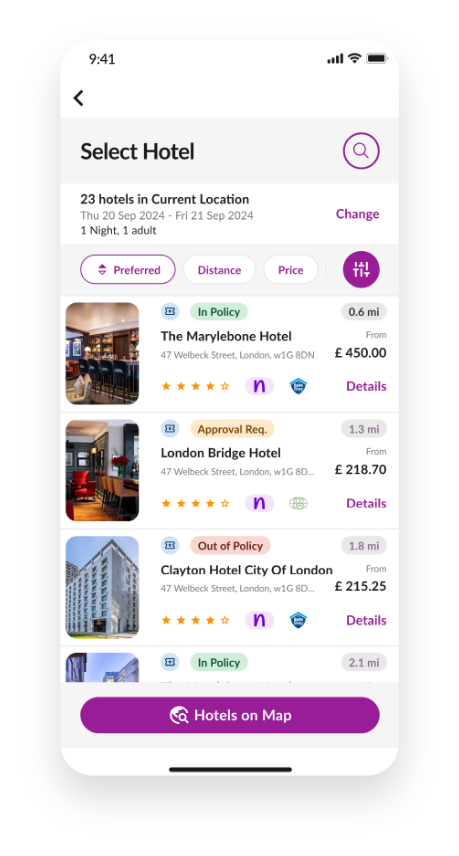
New Hotel Shopping Experience

We’ve redesigned the hotel booking view to make it faster, clearer, and frustration-free. With our new hotel shopping experience, travellers can now find the right room quickly and easily, without endless scrolling. The improved self-booking experience means fewer support calls for your team and a smoother journey for your travellers.

Travellers get clear, side-by-side visibility of available options, helping them make faster, more confident choices. The result? More bookings completed directly, stronger program compliance, and seamless operations for your travel program—a small change for travellers, with a big impact on your organisation

Grouped Room Types

Rooms of the same type are now displayed together, making it easier to view all options in one place.

Cleaner, More Intuitive Layout

We’ve redesigned the layout to be more visually appealing and easier to navigate.

Helpful Room Descriptions

Each room group includes a clear, concise description to help you quickly understand what’s included.

Visual Cues for Key Features

Icons and visual markers highlight room features like breakfast, free cancellation, or refundable rates.

FAQs

If there is no add on security layer set up by your IT team, then there is no restriction.

These will be automatically enabled when the user logs in to the app. 

It depends, there are two kind of notifications within the app:
Push Notifications- you will need to enable these if it is currently toggled off
In App Notifications – This will come automatically and you need to perform any action.

You don’t need to do anything! The app will take the default language of your device. E.g., If your phone language is Swedish, then the app will automatically show Swedish.

By Navigating to the “Profile” section in the app and then going to “Get in Touch”.

The News and Alert section on the homepage of the app will automatically start showing the news related to your trip.

Ideally, it should be auto updated if you haven’t changed the setting in your device. If not, check your AppStore for iOS and Playstore for Android to see if an update is available.

From Playstore for Android and Appstore for iOS.

We will need to work with your IT team and then they need to allow the app to be listed on their app store for their users to download. Please contact your CSM if you would like to enable the app for your organisation.

You can go to your Trip and open-Air itinerary where you’ll find your boarding pass.

You can! E-Tickets will be available to be added into a wallet in iOS. In Android, you need to set up Google wallet at their end for the E-Tickets to be added in the wallet. Apart from wallet specific tickets, you will also get an option to download a pdf file as well. 

Microsoft Azure SSO is supported in the new mobile app.

They are and they are shown in the hotel search results

Our testing strategy includes multiple phases to ensure the app is stable, functional, and ready for client use: 

  • Unit Testing: 
    Every feature, API connection, and screen has been built from scratch. Each is verified by the QA team before being marked as complete. 
  • Regression Testing: 
    As features are completed, the entire app undergoes continuous testing to ensure new changes don’t impact existing functionality. 
  • Product Acceptance Testing: 
    The Product team is actively testing and providing feedback to refine the user experience. 
  • Alpha Phase: 
    An internal alpha phase has been carried out which provides access to various members of the business to familiarise, raise concerns and provide feedback.  
  • Client-Specific Testing: 
    Regression testing includes scenarios based on several of our clients to ensure the app meets real-world expectations.